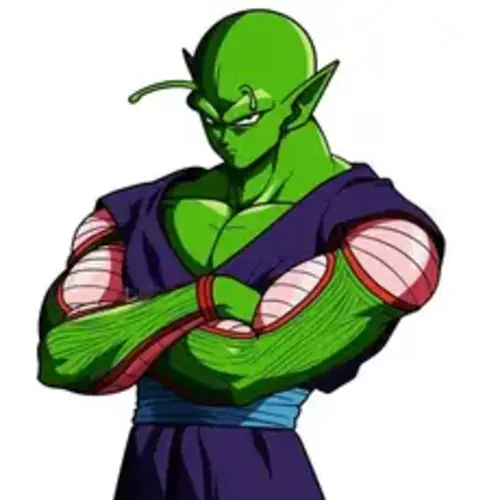
Piccolo Voice
by @DarkHalo·Male @DarkHalo
Hello! Generate Piccolo voice for Dragon Ball / anime content, gaming videos, and creative projects. Type a line, preview in your browser, then download MP3 on vocalove.
.webp) Frieza(Japanese)
Frieza(Japanese).webp) Gohan(Japanese)
Gohan(Japanese) Goku
Goku Piccolo
.webp) Vegeta(Japanese)
Vegeta(Japanese)Enter Your Script
Free to preview in your browser — no credit card. New accounts start with 5 free credits that never expire, plus a free daily pool. Watermark-free HD exports use credits only when you're ready to download.
What is Piccolo Voice and Who is Piccolo?
Piccolo Voice is an AI character voice preset inspired by the recognizable tone fans associate with Piccolo from Dragon Ball / anime. Our generator aims to capture distinctive delivery — energy, attitude, and presence — so creators can produce dialogue that feels in-character for fan projects, shorts, and storytelling. Whether you’re building anime-style clips, game prototypes, or social videos, Piccolo Voice gives you a clear starting point without a recording booth.
On vocalove you drive that color with your own script: pick the Piccolo preset, generate speech in the browser, and export MP3.
Why Choose Piccolo Voice for Your Content?
Our Piccolo Voice generator is built for creators who need expressive character speech fast — dubbing experiments, commentary intros, vertical drama, and Dragon Ball / anime–inspired skits. Preview demos free, then spend credits only when you export. The browser workflow keeps iteration tight so you can revise a line and regenerate without leaving the page.
Pair Piccolo with other Dragon Ball presets on the Character Voice Generator for multi-speaker scenes. Generate one take per role, name the files, and assemble the conversation in your editor or DAW.
What Makes Piccolo Voice Special?
Piccolo Voice is tuned as a character role rather than a flat narrator read — useful for banter, monologues, and punchy one-liners. Keep scripts short and speaker-focused for the cleanest MP3. Advanced text-to-speech keeps quality consistent across short takes while preserving the personality cues fans expect from Piccolo.
Need a different color in the same universe? Switch presets in the tool above. For a voice that matches a real person you recorded, use Clone voice instead of a character preset.
Frequently Asked Questions About Piccolo Voice Generator
- How does the Piccolo Voice generator work?
- Pick the Piccolo character preset, type your dialogue, and generate. vocalove synthesizes speech in that character style so you can preview before download. Export uses credits; demos are free to play.
- Can I use Piccolo Voice for my content?
- Yes for personal and many commercial creative projects — fan animations, YouTube, podcasts, and prototypes. Respect copyright and fair-use rules for Dragon Ball / anime IP; vocalove provides the AI voice tool, not a franchise license.
- What Piccolo Voice styles are available?
- This page opens our Piccolo catalog preset. Related Dragon Ball voices live in the same Character Voice tool so you can switch roles and intensity without leaving the browser.
- How often is the Piccolo Voice generator updated?
- We regularly improve character-voice quality and expand the Dragon Ball catalog — clearer synthesis, better presets, and refinements based on creator feedback.
- Is technical support available for Piccolo Voice generator?
- Yes. If a take fails, shorten the script, try another Dragon Ball preset, or check your credit balance. Browse the main Character Voice Generator for the full catalog, or reach vocalove support from the site footer.
Browse every preset on the Character Voice Generator, or clone a real sample with Clone voice.
More Dragon Ball character voices
Switch roles in the tool above, or open a related character page.