AI Action Figure Generator
Upload a photo, pick a preset style, and generate — no prompt to write. Collectible figure looks in one click.
按次计费 · 1 点数 ≈ $0.01
Free to preview in your browser — no credit card. New accounts start with 5 free credits that never expire, plus a free daily pool. Watermark-free HD exports use credits only when you're ready to download.
What is AI Action Figure Generator?
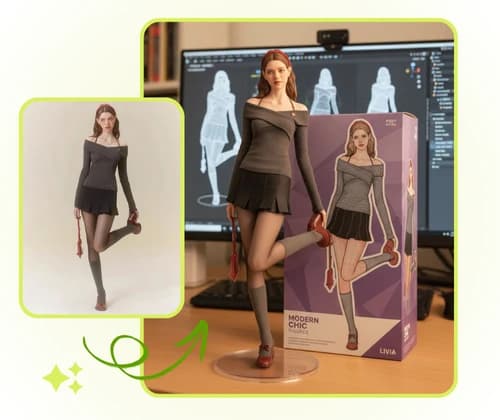
AI Action Figure Generator turns everyday photos into collectible-style figures — blister-pack heroes, chibi vinyl toys, plush dolls, and designer blind-box looks. Pick a preset, upload an image, and explore character variations in seconds without 3D modeling software.
Why use AI Action Figure Generator?
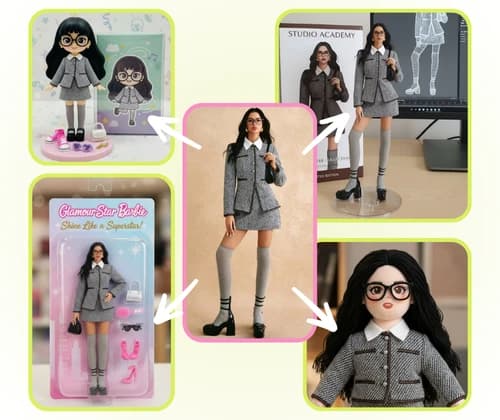
Fans and creators use it for social posts, gifts, and mood boards. Multiple material styles (realistic sculpt, POP Mart cute, LEGO-like bricks, soft plush) mean one portrait can become many figure concepts with a single click.
The challenge without AI
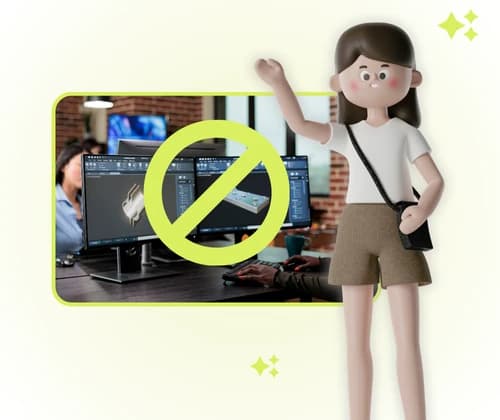
Traditional custom figures need sculpting tools, 3D printers, or commission artists — slow, expensive, and hard for beginners. Even simple mockups take hours. AI figure generators close that gap with instant toy-style renders from a phone photo.
What makes this workflow unique?
- Character consistency — faces and outfits stay recognizable across styles.
- Personalization — you, friends, pets, or objects become the figure.
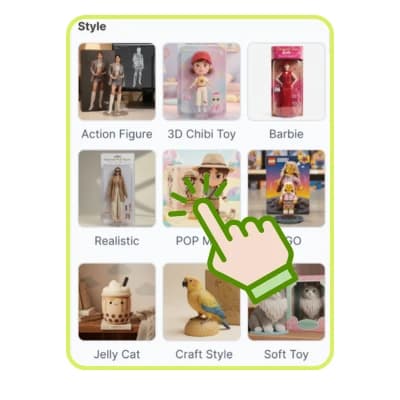
- Style variety — action figure, chibi, Barbie-inspired, POP Mart, LEGO-like, jelly plush, craft wood, and soft toy presets.
How to use AI Action Figure Generator
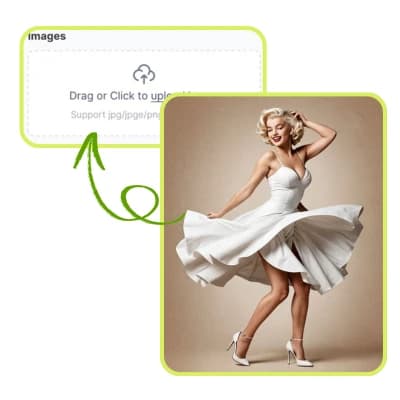
Step 1: Upload a clear photo
Choose a sharp image with the full subject visible. Good lighting and a simple background help the AI read shape and likeness.
Step 2: Pick a figure style
Tap Action Figure, 3D Chibi, POP Mart, LEGO-like, or another preset. Each style steers materials, proportions, and packaging vibe.
Step 3: Generate and share
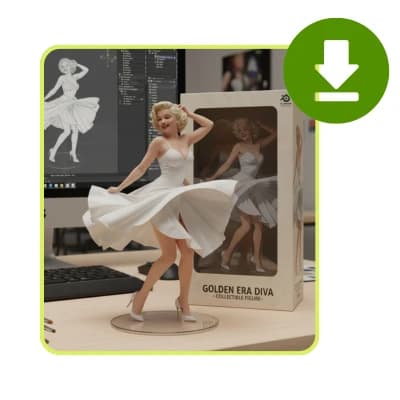
Optional text fine-tunes the scene. Download your figure art for TikTok, Instagram, prints, or concept decks.
Start creating your action figure today
Upload once, try multiple collectible looks, and download results in your browser — credits shown before each generation.
Generate my figure nowFrequently asked questions
- How does the AI Action Figure Generator work?
- Upload a clear photo, pick a preset style (chibi, realistic, POP Mart, LEGO-like, plush, and more), optionally add a short prompt, then generate. The AI analyzes the subject and renders a collectible-style figure image in your browser.
- What photos work best?
- Use a sharp, well-lit image where the subject is fully visible — front-facing portraits or full-body shots on a simple background. Avoid heavy blur or crowded group photos if you need a clean single figure.
- Can I make figures of pets or objects?
- Yes — upload a pet portrait or a distinct object with a clear silhouette. The same style presets apply; results read best when the subject fills the frame.
- Is this the same as VisualGPT’s action figure tool?
- Vocalove is independent. We offer a similar preset-style workflow — upload, style, generate — powered by our AI image models and credit system.
- Do I need design skills?
- No. Pick a style preset and generate. Optional text only refines packaging, pose, or scene details.
Inspired by preset-style tools like VisualGPT AI Action Figure Generator— Vocalove runs independently in your browser.